Displaying Post Thumbnails in your wordpress theme has become a common habit for many theme developers, until now people used to use many different hacks and approaches to include the Post Thumbnails functionality. The built-in Post Thumbnails functionality for WordPress was unavailable to users until version 2.9 came out which bought alot of great changes along with many improvements. We will be going through the process of learning how to use the WordPress Post Thumbnails in our own themes. (more…)
Tag: wordpress functions
-
WordPress Post Thumbnail and Image Functions

Working with
set_post_thumbnail_sizeandadd_image_sizeToday, I would like to post about these two handy functions introduced in WordPress v2.9, these two functions are used to integrate and work with the wordpress post thumbnails features, which was also introduced in wordpress v2.9.
I have been seeing people say that these functions are not working in their theme as they should. But i would like to point out some things that might help you with that and at the same time help you understand what the difference in these two functions are.
(more…) -
Adding Numbers to Your WordPress Comments
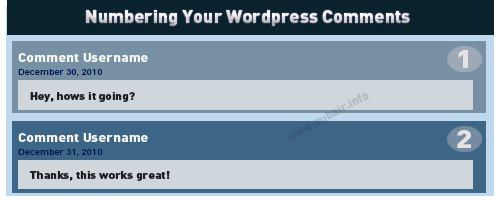 I was just working on making custom theme, and thought of displaying numbers on version 2.7 – but since then a lot of things have changed, I noticed the need to change things around a little to achieve the wordpress comment numbering. So this is only for WordPress version 2.7 and higher. Though, you can achieve the same with older wordpress version by just modifying the position where you place the code. Just to be clear, I have a custom comment callback function like this one:
 wp_list_comments( array( 'type' => 'comment', 'callback' => 'mycustom_comments' ) );
Do note that I only am using
type=commentabove to show, so this is only numbers the actual comments count and not pingbacks or trackbacks. Before wordpress version 3, i had to fiddle inside the foreach loop like the one below:<?php foreach ($comments as $comment) : ?>
But not anymore, I just have to go into my custom comment callback function named
mycustom_commentsand do the changes there, I do not have any loops in there.But i assume wordpress has that function inside the loop so we don’t really have to worry about anything. Lets start, first go into your comments.php file and find the call to
wp_list_commentsfunction and add this above it.<?php $counter = 0; ?>
Next, we go into our custom callback function, which should be located somewhere inside the
function mycustom_comments( $comment, $args, $depth ) { //this is the function declaration global $counter; // Make counter variable global so we can use it inside this function. $counter++;Finally, add the below code where ever you want the numbers to show.
<?php echo $counter; ?>
Sorry, i am writing this post in quite a hurry so if you see something missing, confusing or need to ask something then feel free to comment and let me know.
